Focus App vs Website Blocker: Which Do You Need?
When trying to combat digital distraction in a hyper-connected work environment, most professionals reach for the first productivity application they see in an app store. However, they quickly discover that downloading a random application doesn’t automatically solve the urge to context-switch.
The digital focus toolkit is split into two distinct mechanical categories: Focus Apps and Website Blockers.
While software developers often blur the lines between these terms for marketing purposes, they operate on completely different psychological and technical levels. Choosing the wrong type can leave your workspace wide open to distractions or make your workflow unnecessarily rigid.
To build a reliable deep work routine, you need to understand how these tools differ structurally, where they fail, and how to pick the right one for your daily tasks.
Core Mechanical Differences Explained
The primary difference lies in how these tools approach human behavior: one functions as an encouraging guide, while the other serves as a strict digital barrier.
-
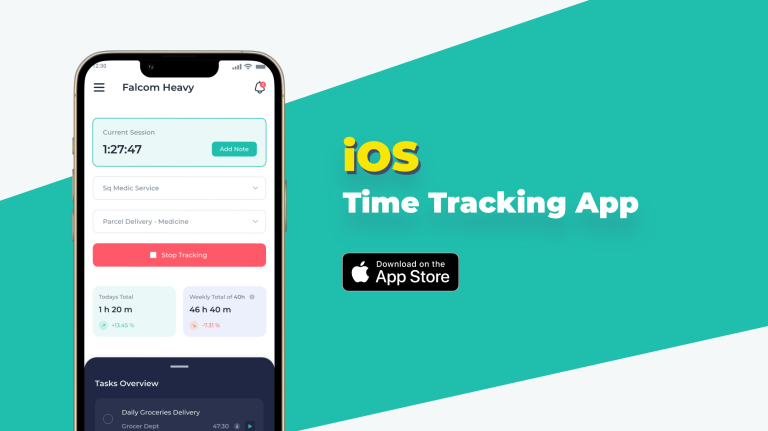
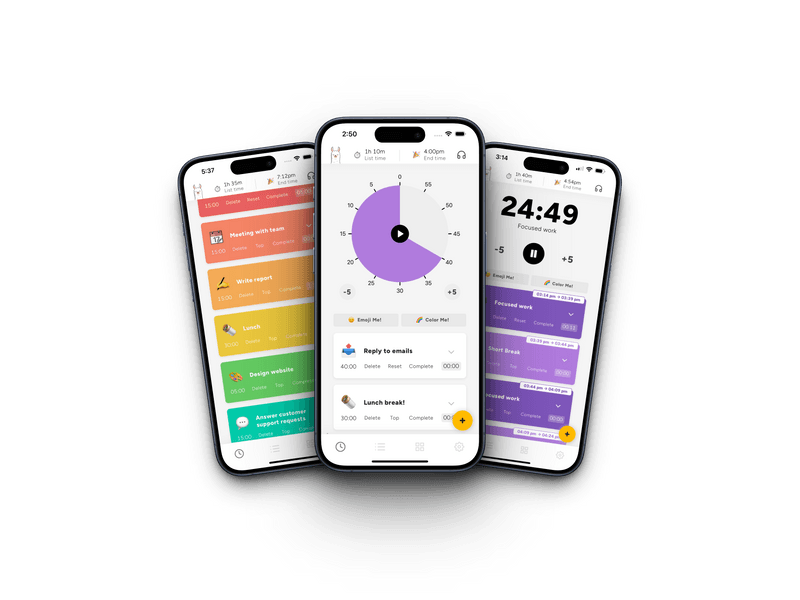
Focus Apps (Behavioral Reinforcement): These applications are designed to encourage positive habits. They utilize timers, gamified visual rewards, historical data logging, and built-in ambient soundscapes to ease you into a state of concentration. They do not physically lock you out of your devices; instead, they rely on your desire to finish a scheduled focus interval.
-
Website Blockers (Technical Restriction): These tools take a defensive approach by actively modifying your network traffic or browser permissions. When a session is active, the software blocks access to specified domains, news feeds, and communication servers entirely. Even if you try to open a distracting site out of habit, you will see a blank screen or a reminder block.
Structural Comparison Matrix
| Operational Criterion | Focus Applications | Website Blockers |
| Primary Method | Psychological pacing & gamification | Local network & browser lockdown |
| Best For | Overcoming initial task resistance | Stopping compulsive tab-checking |
| Technical Footprint | Low; runs as standard interface app | Deeper; requires network/extension profiles |
| Bypass Difficulty | Very Low (Simply close the application) | High (Requires hard codes or master overrides) |
| Core Vulnerability | Fails during moments of low willpower | Can block critical sites if misconfigured |
Direct Architecture Breakdown
Focus Apps: The Behavioral Approach
Focus apps work best for professionals who struggle with starting their work or get overwhelmed by large projects. They break your workday down into manageable, structured windows.
-
How They Work: Consider an app like Forest. When you begin a work block, you plant a digital seed. As you focus, a virtual tree grows over 25 or 50 minutes. If you leave the app to check a social network, your tree dies. Other variants use clean countdown timers based on the Pomodoro technique.
-
The Big Advantage: They create a low-threshold entry point for focus. By turning concentration into a visible game or a simple countdown, they reduce the friction of getting started on a tough project.
-
The Core Limitation: They rely entirely on your compliance. If you receive a highly tempting message or notification, a focus app cannot stop you from closing it and abandoning your focus block.
Website Blockers: The Defensive System
Website blockers are built for professionals who have good intentions but repeatedly find themselves opening news sites, social feeds, or stock charts out of muscle memory.
-
How They Work: Tools like Freedom or Cold Turkey operate deep within your computer’s operating system or web browser. You create custom blocklists of your most distracting sites and set a schedule. Once turned on, these tools make it impossible to access those pages until the timer ends.
-
The Big Advantage: They completely eliminate the temptation to cheat. Advanced settings like “Locked Mode” prevent you from uninstalling the browser extension or changing your system clock to bypass the block.
-
The Core Limitation: They lack flexibility. If a client sends an unexpected link hosted on a platform you have blocked, you cannot access it until your focus session expires, which can sometimes disrupt urgent work communication.
The Crossover Strategy: How to Make Your Final Choice
To choose the right option, identify your primary concentration bottleneck.
┌────────────────────────────────────────────────────────────────────────┐
│                        ATTENTION BOTTLENECK TRIAGE                     │
└────────────────────────────────────────────────────────────────────────┘
        │                                                       │
        ▼                                                       ▼
┌───────────────────────────────┐               ┌───────────────────────┐
│     STARTING RESISTANCE       │               │  COMPULSIVE BROWSING  │
├───────────────────────────────┤               ├───────────────────────┤
│ • Procrastination on startup  │               │ • Mindless tab habits │
│ • Missing structural routine  │               │ • Reactionary pings   │
│                               │               │                       │
│     [Deploy Focus App]        │               │ [Deploy Site Blocker] │
└───────────────────────────────┘               └───────────────────────┘
For the most effective setup, you don’t actually have to choose between them. Many knowledge workers run a hybrid system: they use a Website Blocker to run a quiet background filter during their entire core business morning (e.g., 9:00 AM to 12:00 PM), while simultaneously running a visual Focus App on their desk to manage their time blocks and breaks. By combining behavioral prompts with strict technical boundaries, you build an environment where deep work becomes natural and sustainable.
External Source Suggestions
-
Cold Turkey Documentation Hub:
[getcoldturkey.com/support](https://getcoldturkey.com/support)(To verify system-level block protocols and locked-mode behaviors). -
Freedom.to Technical Architecture Guide:
freedom.to/help(To confirm cross-platform network filtering setups across desktop and mobile browsers). -
Journal of Computer-Mediated Communication:
[academic.oup.com/jcmc](https://academic.oup.com/jcmc)(To cross-reference academic research evaluating the efficacy of voluntary vs. forced digital self-regulation applications).